
Good prompting is child’s play: 7 lessons from three demo sites
How do you write a good prompt for a website? Seven practical lessons from three demo sites built with Suara, with prompt tips and a template to copy.
11 November 2026 · 7 perc olvasás

Asking an AI for a website is child’s play, as long as you know what to tell it. You don’t need to code, you just need to describe clearly what you want. Still, you’ve probably written a prompt that gave you something completely different from what you had in mind. Right? That’s not down to luck!
Over the past few weeks, we built quite a few demo sites with Suara. We picked three of them again (a moving company, a forest villa and a pizzeria) and read through all three chats. From them, we collected what works when writing a prompt for a website, and what only costs you time and credits.
The three projects in numbers: the first version of the moving company’s site was ready in 4 minutes 38 seconds, the villa’s in 6 minutes 18 seconds and the pizzeria’s in 5 minutes 55 seconds. All three started from a single opening prompt. The demo sites and the screenshots are in Hungarian, and the quoted prompts are translated.
1. Say what you need, and what you don’t
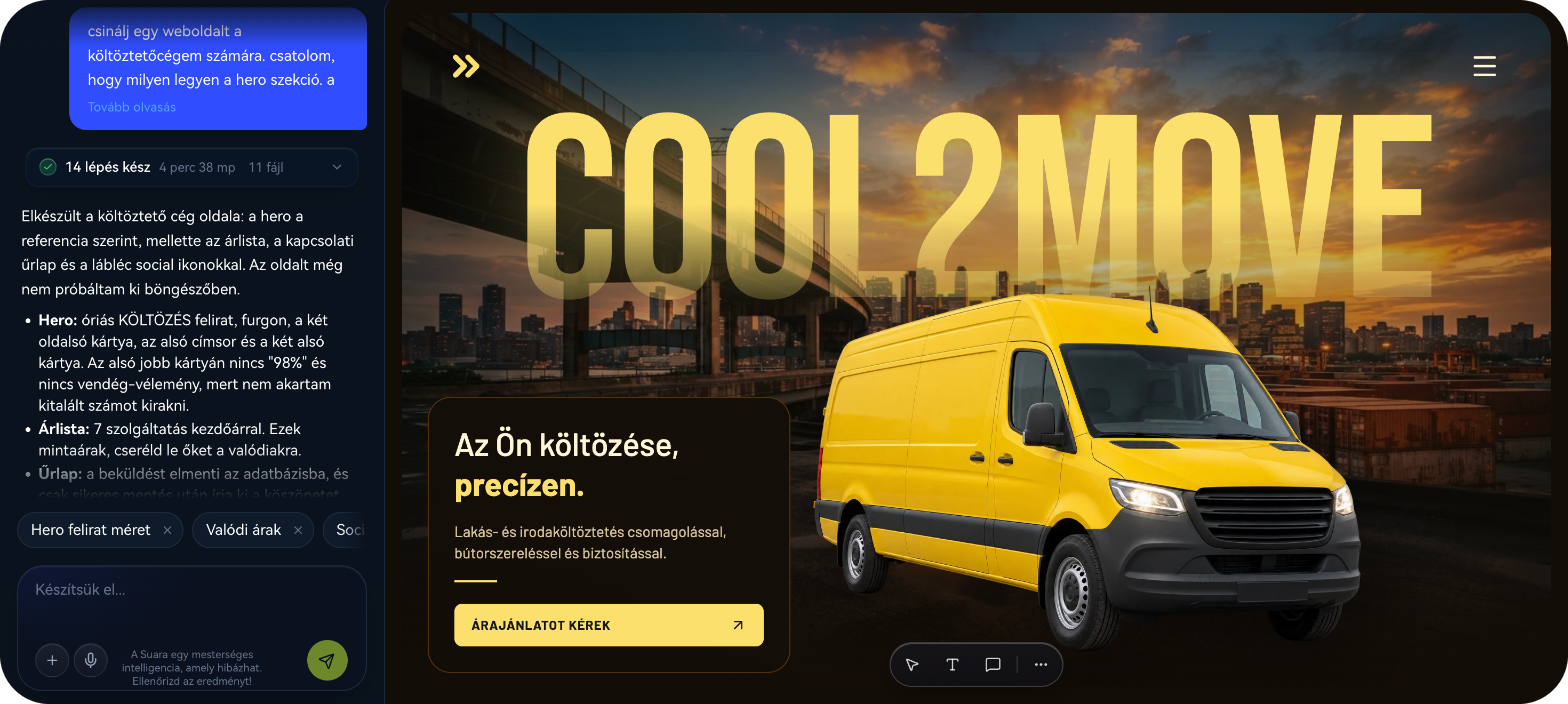
For the moving company’s site, this was the whole request: the services with prices, a contact form and social icons in the footer, plus one sentence in between: “nothing else extra is needed”. Same with the pizzeria: “no shop menu item, just an intro page”. These exclusions are worth as much as the requests. Suara won’t invent a webshop, a blog or a quote calculator if you didn’t ask for one, so the first version is about your business right away.
💡 Prompt tip: “Include the menu with prices, the opening hours and a contact form. No webshop or blog.”
2. Be specific: name, offer, address
The pizzeria’s prompt was full of concrete content: the name (G-iorgio), the three pizzas (Roman, Neapolitan, Detroit-style), the two desserts (tiramisu and gelato), the address, and one small request: “mark the address with a little Vespa”. The less Suara has to make up, the less you have to fix afterwards.
💡 Prompt tip: “The name is [name]. The offer: [3–5 products or services]. The address: [address]. Opening hours: [days and hours].”
3. Show it with an image
A mood is hard to put into words, but an image gets it across in a second. We attached a reference image to the prompts of both the moving company and the pizzeria. Suara took the layout and the atmosphere from it: the giant lettering with the van for the movers, and the clean, warm-toned design for the pizzeria. Meanwhile, it wrote the content based on the prompt.
💡 Prompt tip: “Build the hero section based on the attached image. Take the layout and the mood from it, and write the copy based on the above.”
4. Your prompt doesn’t have to be perfect, but answer the questions
The villa’s prompt was a single sentence, with two typos to boot 🙈: “Make a modern webiste for a place to stay where there’s a vila it should be modern with GSAP and Lenis perfect amazing full of animations please”. Suara still understood what we wanted, but before building it asked five short questions: who the site is for, what its main goal is, which colour palette suits it, what the place is called and where bookings should go. Once we answered, the whole site was ready in 6 minutes 18 seconds.
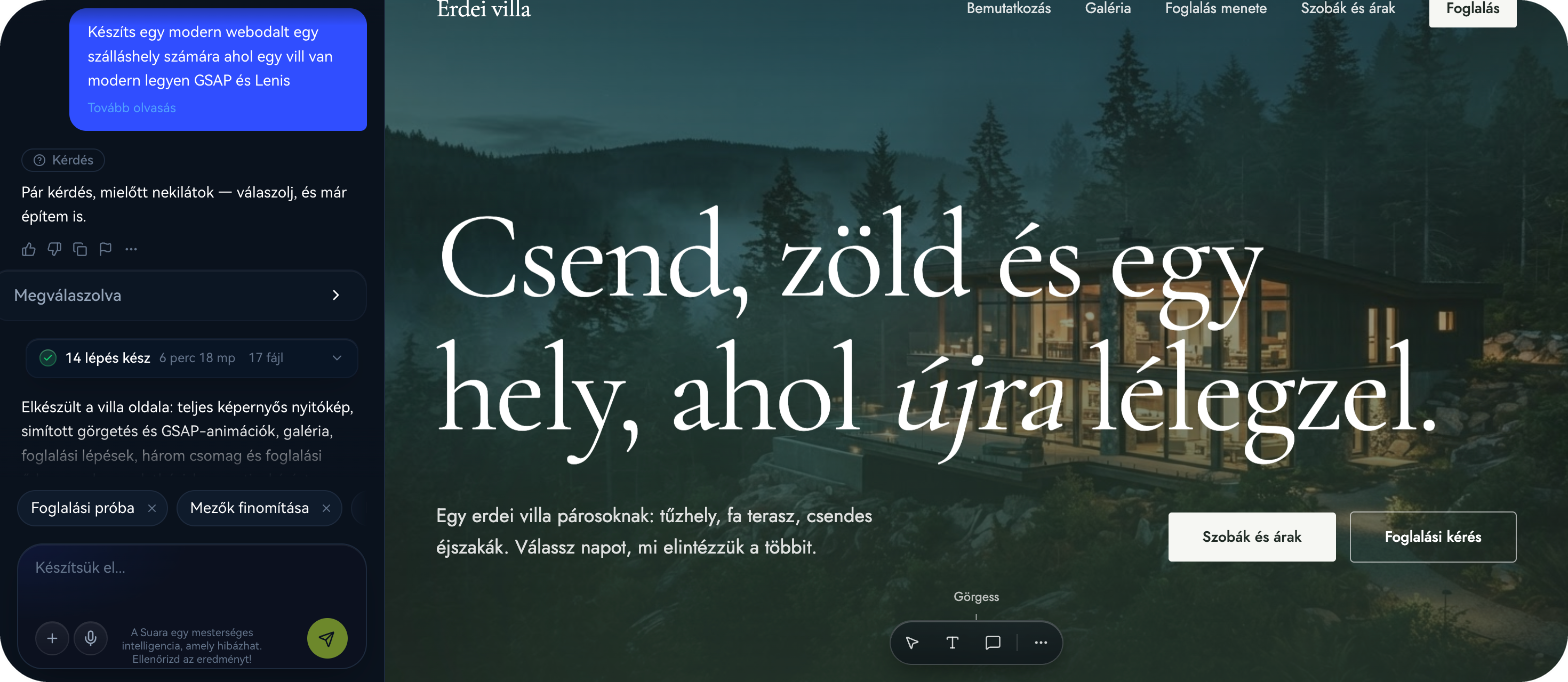
A clarifying question isn’t an obstacle, it’s help: it asks exactly what the prompt left out. The more precisely you answer, the closer the first version gets to what you had in mind.
💡 Prompt tip: “It’s for couples, the main goal is direct online booking, and the colour palette is forest green.” That’s enough to answer a round of questions.
5. If something’s off, describe exactly what you see
In the pizzeria’s mobile header, the booking button sat on top of the menu button. We asked for a fix twice, and both times Suara reported it as done, but the bug stayed. The third time, we described in more detail what we saw: which button overlaps which, and where they should be. Suara fixed it on the first try.
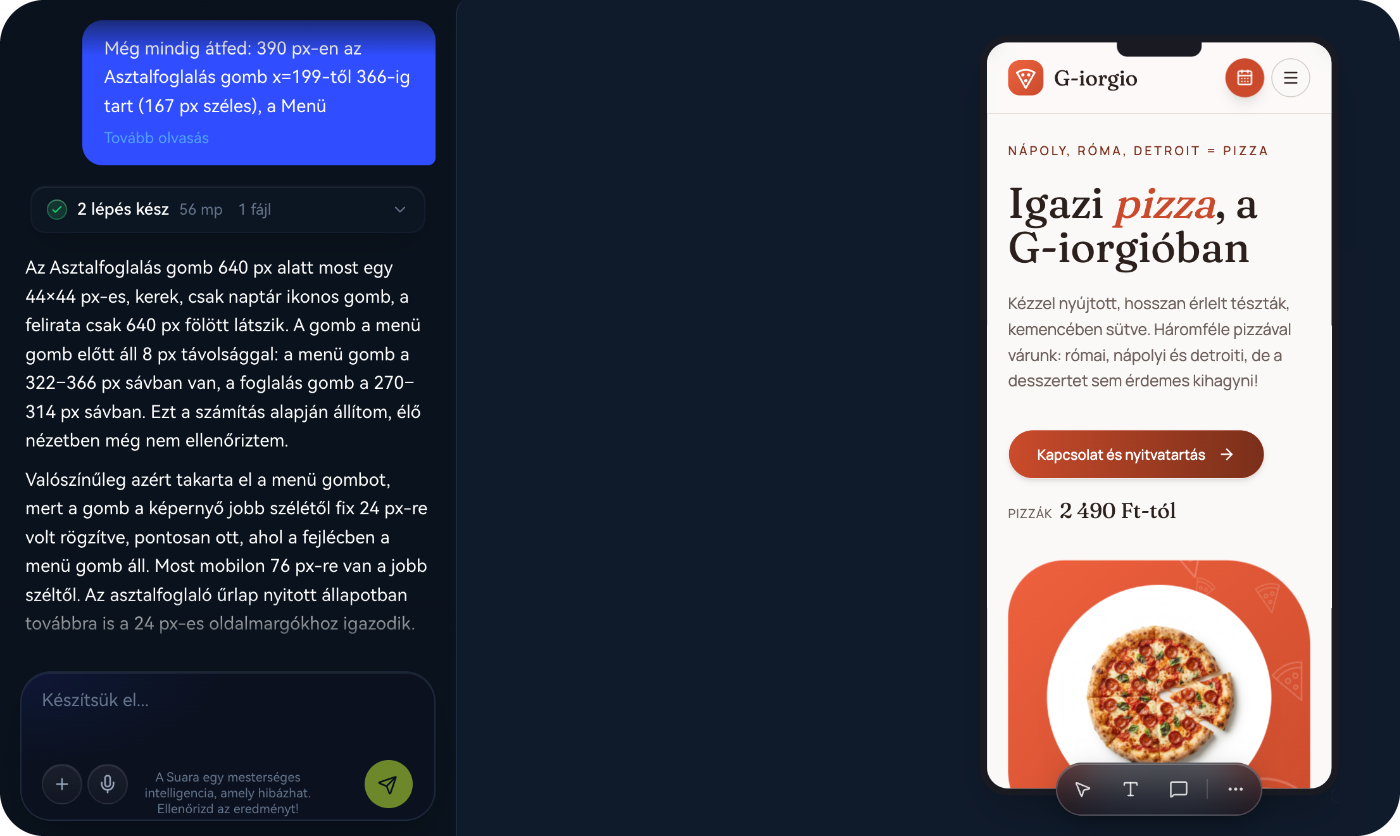
You don’t need to think in measurements for this. We overdid it, as you can see in the screenshot, but describing it in your own words is enough: which element has a problem and where you see it, on mobile or on desktop. The more specific the description, the more reliable the fix. For the villa, it was enough to say that in the big heading, one letter in the bottom line touched the line above. Suara increased the line spacing and the problem was gone.
💡 Prompt tip: “On mobile, the Book a table button in the header overlaps the menu button. Put them side by side so they don’t touch. Don’t change anything else in the design.”
6. Small text edits don’t need a prompt
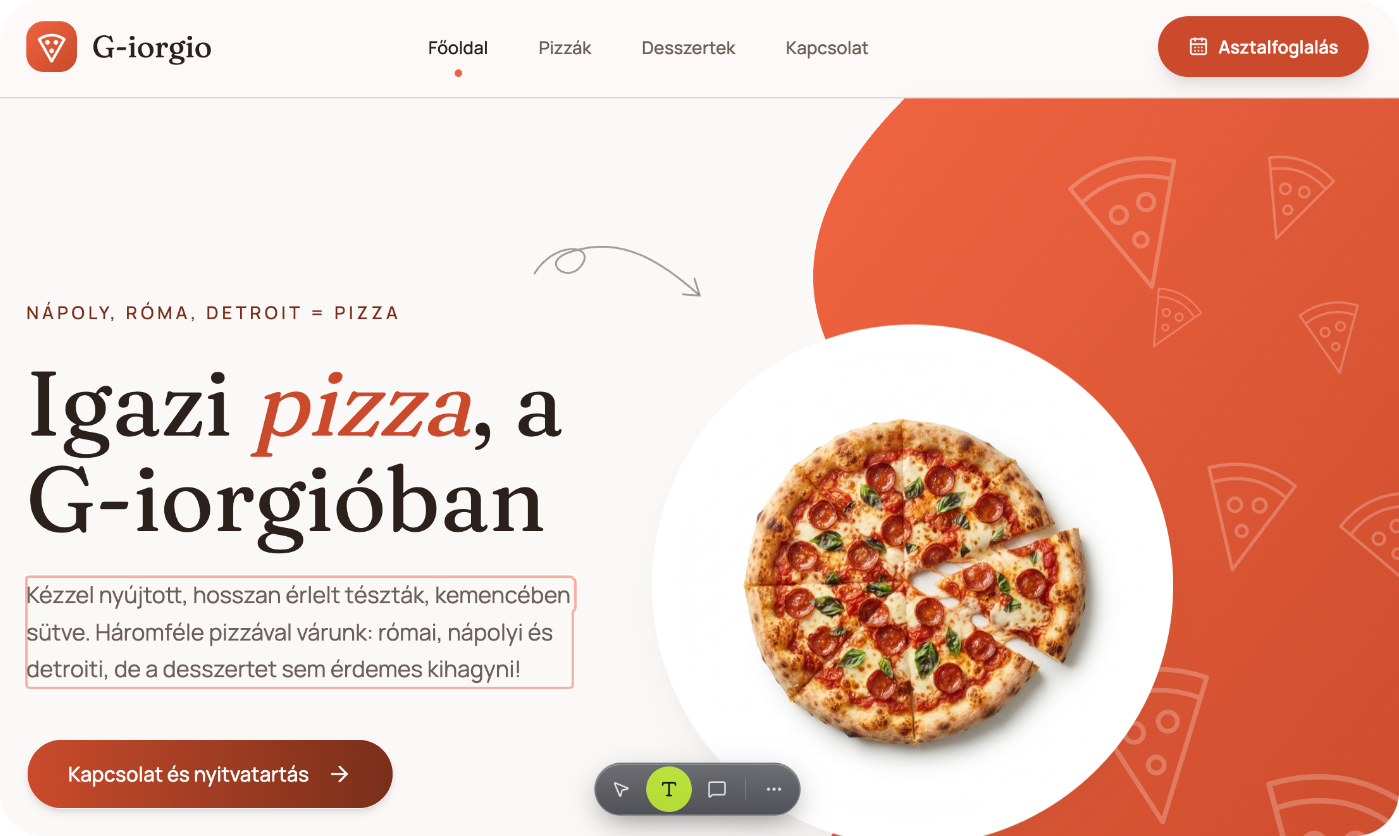
For the pizzeria, eight of the 30 rounds were text edits, and we made them with the visual editor directly on the page, without a prompt. For the moving company, we collected seven small text changes into a single round, and the design stayed untouched. Both ways are faster than sending a separate message for every comma.
💡 Prompt tip: “Only change the copy: 1. … 2. … 3. … Don’t touch the design.”
7. Check the result, and speak up if it got worse
Vibe coding is a conversation, not a single magic sentence. On the moving company’s site, we once asked for the quote request block to be visible without scrolling. In the new version, though, the cards slid on top of each other. We said so, and the less important cards moved below the fold. It’s worth checking the site on desktop and mobile after every round, because Suara sometimes reports something as done that didn’t turn out the way you asked.
💡 Prompt tip: “This version got worse: the cards overlap. Restore the previous layout and only move the quote request block higher.”
A prompt template to copy
We put the lessons above into a template. Copy it, fill in the parts in square brackets, and attach an image of something you like:
“Create a [modern / clean / playful] website for [business name], which [what it does]. Who it’s for: [target audience]. The main goal: [e.g. bookings, quote requests, getting in touch]. Include: [e.g. services with prices, gallery, opening hours, map, contact form]. Not needed: [e.g. webshop, blog]. The address: [address]. Base the design on the attached image and take its layout and mood.”
If you’re curious what became of these prompts, read the stories of the three demo sites: the moving company website, the villa website and the pizzeria website.
Summary: how to prompt well
Say what you need, and what you don’t.
Be specific: name, offer, address, opening hours.
Attach an image of the mood you want.
Answer Suara’s clarifying questions.
If something’s off, describe in your own words which element has a problem and where you see it.
Edit small bits of text with the visual editor, or collect them into one round.
After every round, check the site on desktop and mobile, and speak up if it got worse.
Try it with your own prompt
The best way to learn is to try it. Write your first prompt with the template above and see what Suara builds from it in a few minutes.
Frequently asked questions
How long should a good prompt be?
It’s not the length that counts, it’s the content. The villa site started from a single sentence, the pizzeria’s from a few sentences. If you describe who the site is for, what should and shouldn’t be on it, and attach an image, that’s plenty for the first version.
Do I need to know web jargon?
No. Describe in your own words what you see and what you want: “on the opening image”, “the button overlaps the menu”, “make the heading bigger”. If something isn’t clear, Suara will ask.
What if I mess something up?
No problem. Tell it in your next message what you don’t like, and ask it to restore the previous state. For the pizzeria, most rounds finished in under half a minute, and our demo sites had rounds that needed undoing too.
Kapcsolódó cikkek
 Vibe coding
: what it is, and why it's made for you
What is vibe coding, where does it come from, and how can you build a website, app or automation with it without a developer? A plain-English guide for business owners, with prompt tips.
3 November 2026
 Business superpowers
Where does your week go? 5 admin tasks you can hand over to your own app
Quotes, client lists, weekly reports: five familiar admin tasks your own app can take off your plate. With solutions and ready-to-use prompt tips.
3 November 2026