
Year-end tidy-up: 5 small apps you’ll thank yourself for in January
An annual overview, a customer thank-you page, an inventory list, next year’s price list and a team holiday calendar: five small apps for your year-end tasks.
18 November 2026 · 6 perc olvasás

For business owners, December isn’t about relaxing with a slice of cake. You have to close the year, gather the numbers, thank your customers for their trust, and plan the next year at the same time. And January always arrives sooner than you think. The good news: some year-end tasks only need to be done properly once, and after that a little app of your own takes care of them. Here are five small apps you can put together in an afternoon each, and that you’ll definitely thank yourself for in January.
The sample screens show fictional Hungarian businesses, so prices are in Hungarian forints.
1. An annual overview that shows your year at a glance
Which month went best? Which product or service brought in the most? Who are your best customers? The answers are usually there somewhere, just scattered across five spreadsheets and two emails. An annual overview shows the essentials on one page: monthly revenue on a chart, your best sellers and the key numbers on big, easy-to-read cards.
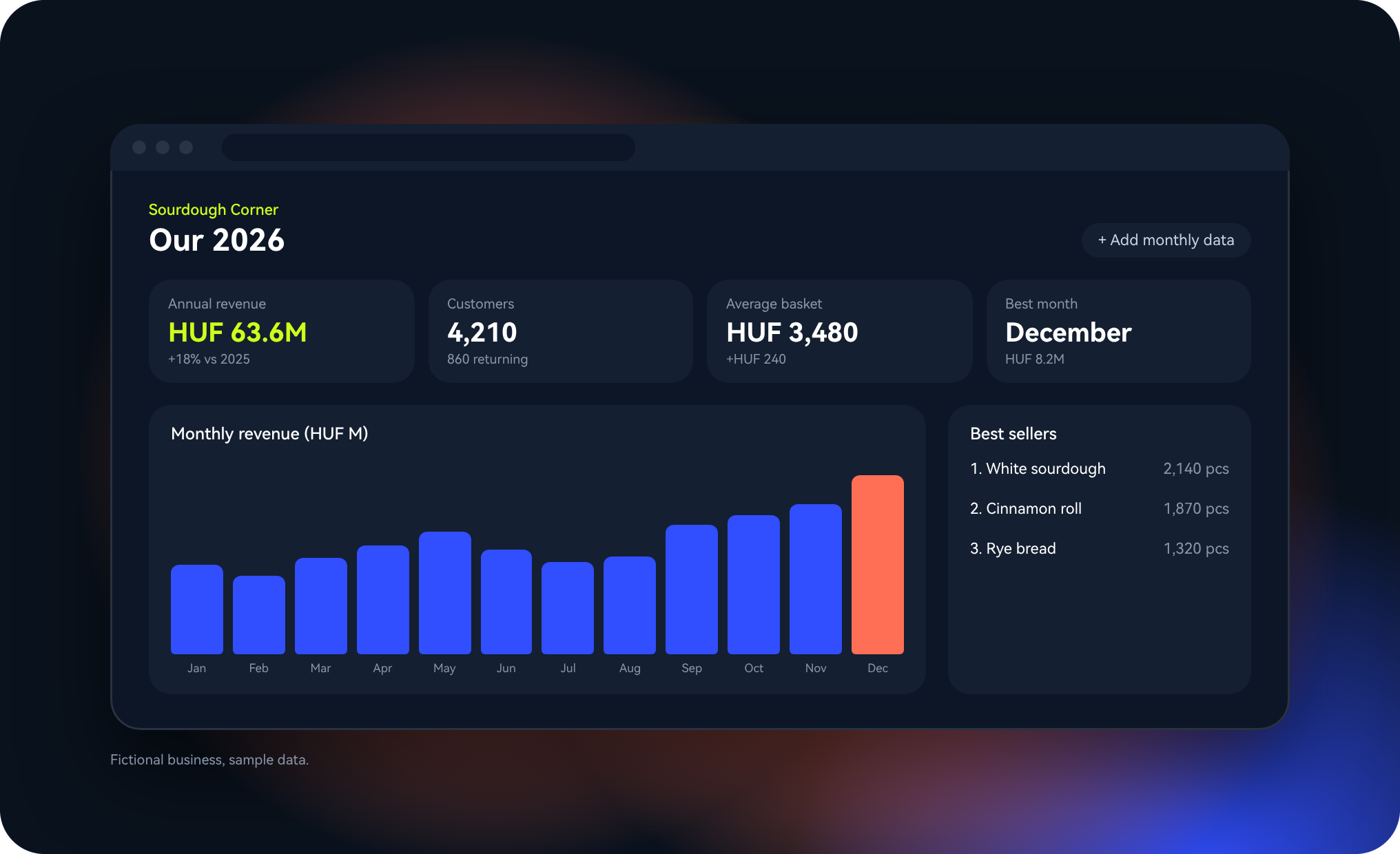
You can paste the numbers into the prompt, or ask for a simple form in the app where you add them every month. That way, next year you won’t have to hunt everything down in December, you’ll fill it in as you go.
💡 Prompt tip: “Create an annual overview page for my business. At the top, four cards: annual revenue, number of customers, average basket value, best month. Below, a bar chart of monthly revenue and the 3 best-selling products next to it. Add a form where I can enter the new numbers every month.”
🚀 Pro tip: the overview helps you see the big picture, but it doesn’t replace bookkeeping or your official year-end closing. Always check the numbers against what your accountant sees.
2. A customer thank-you page they’ll remember
“Happy holidays!” emails pour in every December, and most of them end up unread in the bin. A personal thank-you page stands out. Imagine your regular customer gets a link that opens with: “Thank you, Anna, for visiting us 12 times this year!” Below it, a short look back at the year, a kind message and a coupon to use in January. It’s the kind of gesture people show their friends.
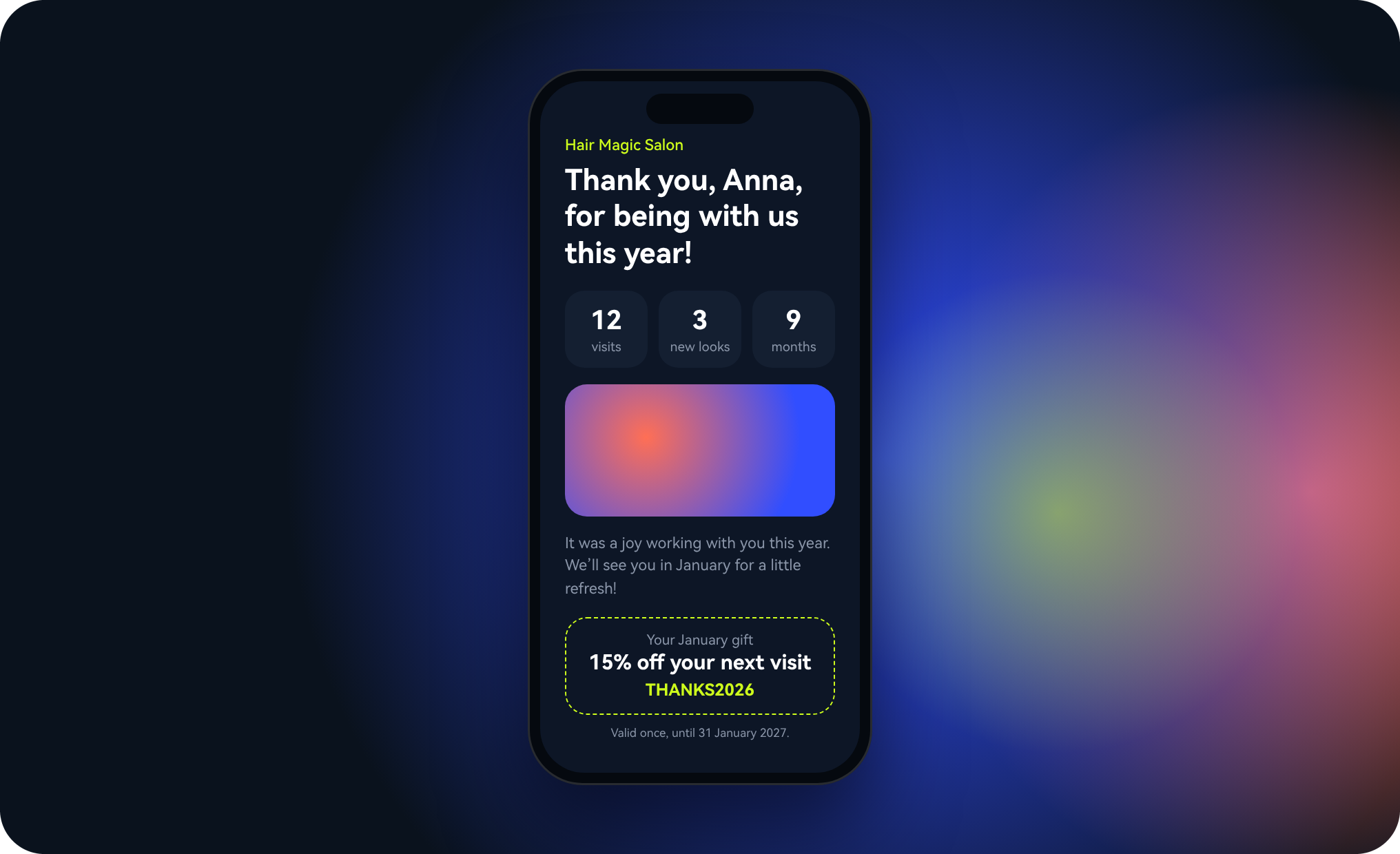
💡 Prompt tip: “Create a customer thank-you page for [business name]. Based on the code at the end of the link, show the customer’s name and how many times they visited us this year. Below, a short thank-you message, a photo from the year and a coupon code for January. Make it warm and festive, but not kitsch.”
🚀 Pro tip: if you give a coupon, spell out the conditions clearly: what it’s for, until when and how many times it can be used. And only use customer data in the ways your privacy notice allows.
Half-time summary 🎁 The annual overview helps you see what worked, and the thank-you page shows your customers they matter. One is for your head, the other for your heart, and both fit into an afternoon.
3. An inventory list that works on your phone
Stocktaking is the task everyone leaves until last. On paper it’s slow, in Excel it’s clunky, especially when you’re standing in the storeroom or between the shelves. A simple inventory app designed for phones makes it much easier: item, quantity, location, a photo, and save. If several of you are counting, everyone can add what they find from their own phone, and at the end you see it all in one list.
💡 Prompt tip: “Create a mobile-first inventory app. Each item should have a name, a quantity, a location (storeroom, shop, office) and an optional photo. Add a search field, and at the end a summary list that I can download as a spreadsheet.”
🚀 Pro tip: if the inventory is part of your official year-end closing, ask your accountant what format and data they need, and set up the app accordingly.
4. Next year’s price list, early and clearly
Many businesses raise prices in January, and the worst thing you can do is let customers find out at the counter or on the invoice. A separate price list page with the new prices and a clearly visible “valid from 1 January” note is far more elegant. Suara puts it together in a few minutes, and you can send the link to your regulars back in December.
💡 Prompt tip: “Create a price list page with [business name]’s 2027 prices. Group the services by category, each with its price. At the top, a clearly visible bar: ‘Prices valid from 1 January 2027.’ At the bottom, a short, friendly explanation and a contact button.”
5. A holiday calendar for your team
“Who’s in between Christmas and New Year?” “When is Greg going on holiday?” “You’re not both off at the same time, are you?” If you work with a team, these questions come thick and fast at the end of the year. In a shared holiday calendar, everyone adds their own days off, and you see at a glance who’s missing when, and where there are clashes. Next year, you can start filling it in as early as January.
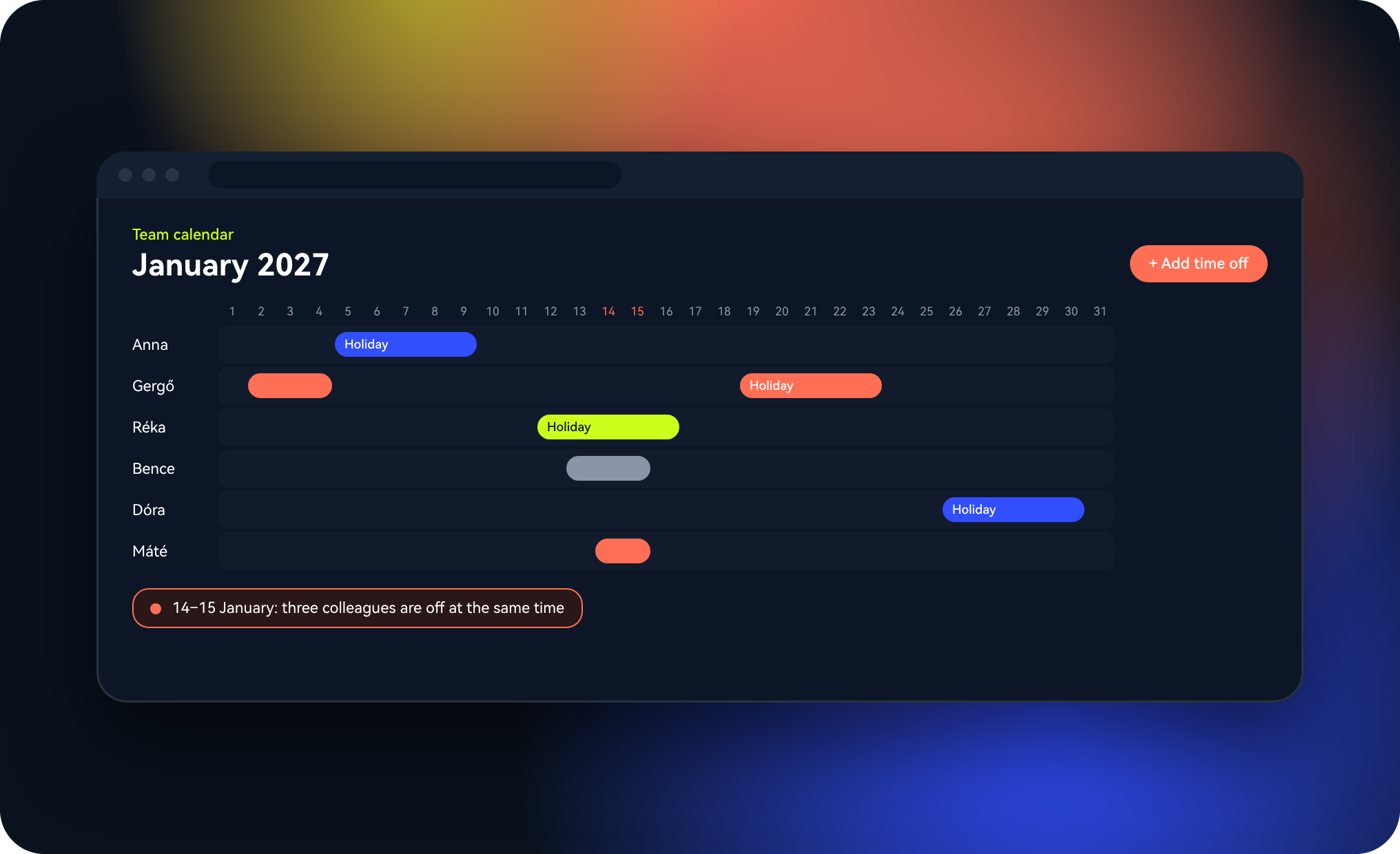
💡 Prompt tip: “Create a holiday calendar for a 6-person team. In a monthly view, show who’s off when, each person in their own colour. Let people add new time off, and if more than two people are off on the same day, flag it in red.”
Where to start?
You don’t have to build all five at once. Pick the one that gives you the biggest headache right now: if you’re worried about the numbers, start with the overview, if it’s your customers, go for the thank-you page. Copy the prompt tip, adapt it to your own details, and see what Suara makes of it. If you’re in the mood for more, our 10 vibe coding ideas article has plenty more.
Summary ✨ An annual overview to see what worked. A thank-you page so your customers feel it too. An inventory app so you don’t count on paper. A price list so January brings no awkward surprises. And a holiday calendar so your team can rest easy. Five small apps, one tidy January.
Frequently asked questions
How long does it take to create an app like this?
The first working version is usually ready within minutes, and an afternoon is plenty for the fine-tuning too. Most of the time usually goes into the content: the numbers, the prices or your team members’ names.
Can I use it together with my team?
Yes. You can share the app with your colleagues via a link, and the submitted data goes into one shared list. If it involves sensitive data, think about who you give the link to.
Kapcsolódó cikkek
 Vibe coding
10 vibe coding ideas you can build today
A Black Friday prize wheel, an Advent calendar, a quote calculator and seven more vibe coding ideas you can build today. Each with a starter prompt.
12 November 2026
 Business superpowers
Where does your week go? 5 admin tasks you can hand over to your own app
Quotes, client lists, weekly reports: five familiar admin tasks your own app can take off your plate. With solutions and ready-to-use prompt tips.
3 November 2026